Dark web monitoring sounds intense, but the real work is usually less dramatic than people imagine. It is not about sitting in a dark room chasing hackers. It is about structured threat intelligence, careful monitoring, clean evidence handling, and knowing where company data may appear before it turns into a bigger security incident.
Security teams track exposed employee credentials, leaked databases, phishing kits, brand impersonation pages, stolen cookies, paste sites, public forums, Telegram channels, scam domains, and other places where sensitive information can surface. Sometimes the first signal of a breach appears quietly on a paste site or a suspicious forum long before it reaches the company’s official security inbox.
This is where proxies can help, but they are not a complete dark web monitoring solution on their own.
A proxy will not make monitoring safe, legal, or complete by itself. You still need proper scope, legal approval, operational security, analyst workflows, monitoring tools, and clear evidence procedures. What proxies do provide is controlled access, geo-testing, identity separation, rate management, and stable collection across public web, deep web, paste sites, threat feeds, scam pages, and other sources connected to dark web research.
The best proxy for dark web monitoring depends on your workflow. A brand protection team may need residential proxies for checking impersonation campaigns across regions. A cyber threat intelligence team may need rotating residential and ISP proxies for larger collection tasks. A SOC doing routine public leak checks may prefer datacenter proxies for lower-risk monitoring.
The wrong proxy setup can create blocks, false negatives, messy logs, wasted budget, and compliance concerns. The right setup gives analysts cleaner access, better regional visibility, and more reliable monitoring.
Quick Comparison Table: Best Proxies for Dark Web Monitoring
| Provider | Best For | Proxy Types | IP Pool Strength | Rotation Control | Main Advantage | Watch Out For |
|---|---|---|---|---|---|---|
| Bright Data | Enterprise CTI teams | Residential, ISP, mobile, datacenter | Very large global pool | Strong session controls | Compliance, targeting, tooling | Higher cost |
| Oxylabs | Large-scale monitoring | Residential, ISP, mobile, datacenter | Huge residential pool | Advanced rotation | Stability and scale | Enterprise pricing |
| Decodo | Balanced security teams | Residential, ISP, mobile, datacenter | Large global pool | Flexible sessions | Easy setup and strong value | Advanced workflows may need APIs |
| SOAX | Geo-sensitive monitoring | Residential, mobile, ISP | Strong location coverage | Clean rotation options | Precise targeting | Can get costly at scale |
| NetNut | High-speed collection | Residential, mobile, ISP | Strong direct ISP-style network | Good session handling | Speed and stability | Not the cheapest beginner option |
| IPRoyal | Smaller teams | Residential, ISP, mobile, datacenter | Good global pool | Sticky and rotating | Affordable entry point | Smaller pool than top giants |
| Webshare | Budget monitoring | Residential, static residential, datacenter | Strong affordable pool | Basic to moderate | Low-cost testing | Fewer enterprise features |
| Infatica | Mid-market research | Residential, mobile, datacenter | Solid residential pool | Practical rotation | Good for scraping workflows | Less polished than premium tools |
What Makes a Proxy Good for Dark Web Monitoring?
The best proxy for dark web monitoring is not simply the provider with the biggest IP pool. Pool size matters, but it is only one part of the picture.
For security research, you need clean IPs, stable sessions, transparent sourcing, reliable uptime, geo-targeting, API support, usable logs, and support teams that understand serious monitoring use cases. Dark web monitoring can involve sensitive environments, so your proxy provider should reduce risk, not create new problems.
Avoid free proxies completely. They are unsafe for professional monitoring. Free proxies can leak traffic, inject security risks, disappear without warning, or make evidence handling harder to defend. In security work, a cheap and shady proxy is not a bargain. It is a liability.
It is also important to separate where proxies help and where they do not. Tor is still required for onion services. Standard proxies do not replace Tor for .onion access. Proxies are more useful for the surrounding intelligence layer, including public forums, paste sites, scam domains, breach mirrors, search engines, phishing pages, brand abuse monitoring, regional visibility checks, and open web sources linked to threat research.
A strong monitoring setup usually separates proxy pools by workflow. Discovery, validation, screenshots, and QA should not always run through the same pool. This keeps logs cleaner and makes incident documentation easier to explain later.
1. Bright Data: Best Overall for Enterprise Dark Web Monitoring
Bright Data is one of the strongest options for serious enterprise threat intelligence teams. It offers residential, ISP, mobile, and datacenter proxies, along with advanced data collection tools that can support more complex monitoring workflows.
For dark web monitoring, Bright Data is best suited for teams that need strict location targeting, reliable session handling, compliance controls, and high-volume collection from public-facing risky sources. Its residential and ISP proxies are useful when analysts need a more natural traffic profile, while datacenter proxies can support lower-risk tasks such as checking cloned landing pages or monitoring public scam sites.
The biggest reason to choose Bright Data is control. Security teams can structure different proxy pools for different monitoring workflows. For example, one pool can be used for broad discovery, another for validation, and another for screenshots or evidence capture.
That control matters when analysts are tracking phishing infrastructure across multiple countries or checking whether a leaked credential page shows different content based on region. A weak proxy setup can create false negatives. Bright Data gives mature teams more room to reduce that risk.
The main downside is pricing and complexity. Bright Data is not the most casual option on this list. Smaller teams may find the setup, dashboard, and compliance process more involved than expected. For a mature SOC or CTI team, that extra structure can be a positive thing.
Best fit: Enterprise security teams, brand protection teams, fraud intelligence teams, and managed security providers.
2. Oxylabs: Best for High-Scale Threat Intelligence Collection
Oxylabs is built for scale. It is a premium proxy provider with large residential and datacenter pools, plus ISP and data collection tools for advanced teams.
For dark web monitoring, Oxylabs is a strong choice when your collection workload is large, repetitive, and sensitive to blocks. A typical workflow might include monitoring exposed company domains across paste sites, scam pages, public breach indexes, suspicious marketplaces, regional phishing pages, and public web sources connected to credential leaks.
Oxylabs gives teams enough infrastructure depth to distribute traffic cleanly. Instead of hitting sources repeatedly from a small set of IPs, analysts can build a more stable monitoring process with better session and rotation control.
Its ISP proxies are especially useful when you need session consistency. Rotating residential proxies are helpful for broad discovery, but sticky ISP sessions can work better for repeated validation checks, login-free monitoring pages, and screenshot capture.
Oxylabs is not designed to be the cheapest option. You choose it when uptime, support, scale, and infrastructure quality matter more than saving a small amount per gigabyte. For companies handling sensitive security workflows, that trade-off can make sense.
Best fit: Cyber threat intelligence vendors, enterprise SOCs, anti-fraud teams, and researchers managing large watchlists.
3. Decodo: Best Balance of Ease, Pool Size, and Value
Decodo, formerly Smartproxy, is a strong middle-ground option for teams that want serious proxy performance without a heavy enterprise learning curve.
It offers residential, mobile, ISP, and datacenter proxies, which gives security teams enough flexibility to build a useful monitoring stack. The platform is also easier to use than many enterprise-first tools, making it practical for small CTI teams, agencies, and businesses that want to start monitoring without spending weeks on setup.
For dark web monitoring, Decodo works well for brand abuse checks, credential exposure monitoring, phishing domain review, regional scam tracking, and lightweight automated collection. Its clean dashboard and flexible sessions make it easier to manage common workflows.
The rotation controls are practical. You can use rotating sessions for broad discovery and sticky sessions when you need continuity. This matters because some sources do not behave well when every request comes from a different IP.
Decodo may not match Bright Data or Oxylabs for deep enterprise controls, but it often wins on ease of deployment and overall value. For many teams, that balance is exactly what they need.
Best fit: Agencies, lean security teams, affiliate fraud monitors, and mid-size businesses starting structured monitoring.
4. SOAX: Best for Geo-Targeted Monitoring
SOAX is a good choice when location accuracy matters.
Dark web monitoring is not always global in a broad sense. A phishing kit targeting UK banks, an impersonation scam in India, a fake login campaign in Brazil, or leaked customer data promoted on a local-language forum may require region-specific checks.
SOAX offers residential, mobile, and ISP-style options with strong location controls. This makes it useful for checking how suspicious infrastructure appears from different countries or cities. It can also help analysts verify whether a scam page, phishing domain, or suspicious offer is visible only in certain markets.
Its mobile proxies can be especially useful for mobile-first abuse cases. Some fraud campaigns are built around SMS scams, app-based flows, mobile landing pages, or carrier-specific targeting. In those cases, mobile visibility can be valuable.
The main drawback is cost. SOAX can become expensive if you route every low-value task through premium geo-targeted traffic. It is best used where precision matters, rather than as the default layer for every monitoring job.
Best fit: Geo-sensitive investigations, anti-phishing teams, telecom fraud research, and brand monitoring across multiple regions.
5. NetNut: Best for Speed and Stable Sessions
NetNut is known for fast and stable proxy connectivity, especially around residential and ISP-style routing. In dark web monitoring, speed matters because analysts often need to check many sources quickly without wasting time on repeated timeouts.
NetNut is useful for recurring collection tasks such as checking leak mentions, scanning public scam infrastructure, validating exposed pages, and gathering evidence from sources that do not require onion access.
Its stable sessions are helpful when a workflow needs the same identity for several minutes instead of constant IP changes. This is useful for repeated validation, screenshots, and monitoring pages where random rotation can break the flow.
NetNut is less about flashy extras and more about performance. That makes it a good match for teams that already have their own scripts, dashboards, alerting systems, and analyst workflows.
Pricing may feel high for hobby use, but for operational teams, reliable speed can save analyst time and reduce failed collection attempts.
Best fit: Teams with custom tooling, recurring monitoring jobs, and high-frequency checks.
6. IPRoyal: Best Affordable Option for Smaller Teams
IPRoyal is a practical option for smaller teams that need residential proxies without enterprise pricing.
It offers residential, ISP, mobile, and datacenter proxies, giving users enough choice to run basic monitoring workflows. For lean teams, this flexibility is useful because they can test different proxy types without committing to a large contract.
For dark web monitoring, IPRoyal can fit tasks such as checking exposed company emails, reviewing scam pages, validating phishing domains, monitoring public breach chatter, and checking public web sources linked to leaked data.
It is not the biggest network on this list, but it gives good value to teams that do not need massive traffic volume. The ability to choose rotating or sticky behavior is also helpful. Broad discovery can run on rotating residential IPs, while validation can use sticky sessions.
The trade-off is scale. A large CTI operation with millions of monthly requests may eventually need a bigger enterprise platform. For startups, small SOC teams, researchers, and agencies, IPRoyal is a sensible starting point.
Best fit: Startups, small SOC teams, researchers, and agencies with controlled workloads.
7. Webshare: Best Budget Proxy for Basic Monitoring
Webshare is attractive because it keeps proxy buying simple and affordable.
It is not the most advanced proxy provider for dark web monitoring, but it can be useful for low-risk public monitoring tasks. Teams can use Webshare for public scam site checks, cloned domain monitoring, search result checks, basic scraping, and routine validation.
Its datacenter and static residential options can work well when heavy stealth and deep rotation are not required. Static residential proxies can be useful for simple workflows where you want more stability than rotating sessions but do not need a premium enterprise setup.
Webshare should not be the only provider for sensitive or high-block environments. Still, it can work well as a budget layer inside a larger monitoring stack.
For example, a team may use Webshare for basic public checks and reserve premium residential or ISP proxies from providers like Bright Data, Oxylabs, or SOAX for more sensitive validation work. That kind of layered setup helps control costs.
Best fit: Budget-conscious teams, testing environments, and basic public web monitoring.
8. Infatica: Best Mid-Market Option for Research Workflows
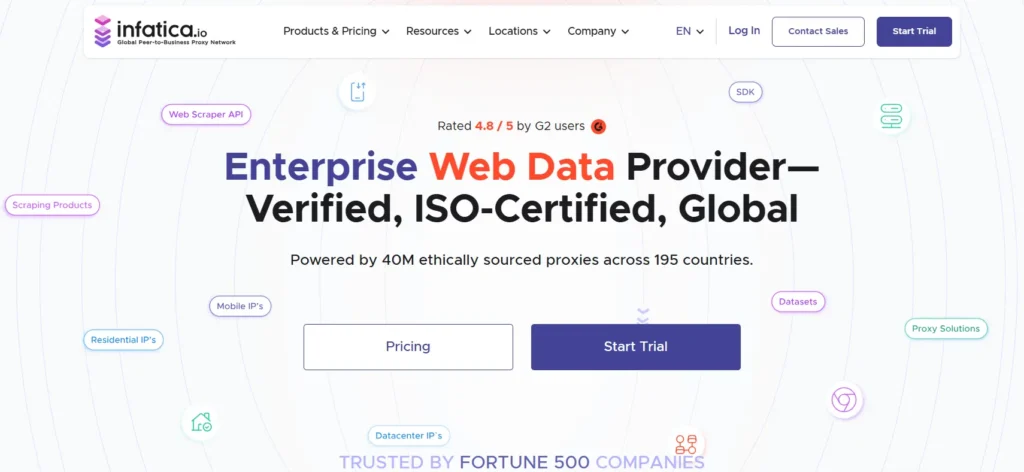
Infatica offers residential, mobile, and datacenter proxies with a focus on data collection. For dark web monitoring, it sits in the middle of the market. It is more capable than basic budget tools, but not as enterprise-heavy as Bright Data or Oxylabs.
Infatica can support phishing page review, paste monitoring, public breach source collection, regional visibility checks, and general OSINT research. Its residential pool gives analysts a better chance of avoiding simple IP-based blocks compared with cheaper datacenter-only options.
The provider is a good fit when a team needs flexible proxy access but does not want to overpay for enterprise features it may never use. It can be especially useful for agencies, researchers, and mid-market security teams running recurring monitoring tasks.
The interface and ecosystem may not feel as polished as premium enterprise tools, but the core functionality is useful for practical research workflows.
Best fit: Mid-market security teams, OSINT researchers, and agencies doing recurring monitoring.
How to Choose Proxies for Dark Web Monitoring
Choosing the right proxy provider starts with your monitoring surface. You should know exactly what you are tracking before you buy anything.
Onion services, paste sites, Telegram links, scam domains, public forums, credential dump mirrors, phishing pages, search results, and breach indexes are different sources with different access needs. Proxies help mostly with public web and deep-web monitoring. Tor handles onion access. Do not confuse the two.
A good proxy setup should match your risk level, collection volume, and evidence requirements.
Match Proxy Type to the Risk Level
Datacenter proxies are useful for low-risk, high-volume public checks. They are fast and affordable, which makes them practical for simple monitoring tasks.
Residential proxies are better when sources block datacenter traffic or when you need a more natural traffic profile. They are useful for brand abuse checks, public leak monitoring, phishing page review, and regional visibility testing.
ISP proxies are a strong choice when you need stable sessions with cleaner reputation signals. They are especially useful for validation, screenshots, and repeated checks.
Mobile proxies should be used only when mobile visibility matters. They can be helpful for SMS scams, carrier-specific checks, app-based fraud, and mobile-first abuse campaigns.
Check IP Quality, Not Just Pool Size
A provider may advertise millions of IPs, but that number does not tell the full story.
For dark web monitoring, IP quality depends on freshness, ASN diversity, location spread, sourcing practices, uptime, and block rate. Dirty or overused IPs can create false negatives because the source may block you, show limited content, or behave differently.
This is dangerous in security work because a failed collection attempt can look like no threat exists. In reality, your proxy may simply be blocked.
Always test proxy performance with your actual sources and regions before scaling.
Use Rotation Carefully
Fast rotation sounds powerful, but it can break monitoring workflows.
Rotating IPs are useful for broad discovery and public collection. Sticky sessions are better for validation, screenshots, and repeated checks where the source should see a consistent identity for a short period.
A practical starting point is to use sticky sessions for several minutes during evidence capture and validation. For broad crawling, rotation per request or every few requests can work, depending on source sensitivity.
The goal is not to rotate as much as possible. The goal is to rotate in a way that matches the behavior of the workflow.
Separate Workflows by Proxy Pool
Do not push everything through one proxy list.
Create separate pools for discovery, validation, screenshots, QA, and monitoring. This keeps logs cleaner, reduces contamination, and makes incident notes easier to defend later.
For example, you may use a cheaper datacenter pool for public checks, a residential pool for blocked sources, and an ISP pool for stable validation. This setup gives analysts more control while keeping costs manageable.
Review Compliance and Sourcing
Security teams should only use proxy providers with clear acceptable-use policies and ethical IP sourcing.
Dark web monitoring already carries legal, reputational, and operational risk. Your proxy provider should help reduce that risk. Avoid providers that are vague about sourcing or seem designed for abuse.
Keep monitoring legal, documented, and scoped. Do not interact with stolen accounts, buy stolen data, test leaked credentials against real services, or use proxies to hide unauthorized activity.
Final Verdict
For enterprise-grade dark web monitoring, Bright Data is the strongest overall option because it combines scale, compliance controls, advanced targeting, and flexible proxy types. Oxylabs is the best fit for heavy CTI collection where reliability and volume matter.
Decodo gives the best balance for many teams because it is powerful, easier to use, and more cost-friendly than premium enterprise platforms. SOAX is a strong choice for geo-sensitive investigations. NetNut is useful when speed and stable sessions are priorities.
IPRoyal and Webshare make sense for smaller teams or budget-conscious monitoring. Infatica works well as a flexible mid-market option for OSINT and recurring research workflows.
The most practical setup is often a two-layer proxy stack. Use an affordable provider for routine public checks, then keep a premium residential or ISP pool for sensitive validation. This keeps costs under control while giving analysts cleaner access when an alert matters.
FAQs About Proxies for Dark Web Monitoring
1. Do I need proxies for dark web monitoring?
Yes, proxies are useful for many public and deep-web monitoring tasks. They help with geo-testing, rate control, identity separation, and stable collection. For onion services, you still need Tor-based access.
2. Are residential proxies better than datacenter proxies?
Residential proxies usually face fewer blocks because they look closer to normal ISP traffic. Datacenter proxies are faster and cheaper, but they are easier to detect. The better choice depends on the monitoring task.
3. What is the best proxy type for threat intelligence?
Rotating residential proxies are useful for discovery. ISP proxies are better for stable validation. Datacenter proxies are fine for low-risk public checks. Mobile proxies are useful only when mobile or carrier visibility matters.
4. Can proxies access onion sites?
No. Standard proxies do not replace Tor. Onion services require Tor routing. Proxies are more useful for the surrounding intelligence layer, such as paste sites, scam domains, public forums, phishing pages, and breach mirrors.
5. How often should I rotate IPs?
For broad collection, rotate more frequently. For validation, screenshots, and evidence capture, use sticky sessions for several minutes so the source sees a consistent identity.
6. Are free proxies safe for dark web monitoring?
No. Free proxies are risky and should be avoided for professional monitoring. They can leak data, inject traffic, break workflows, disappear without notice, and create security or evidence handling issues.
7. Which proxy provider is best for beginners?
Decodo and IPRoyal are easier starting points for beginners. Webshare is useful for basic testing. Bright Data and Oxylabs are better for mature teams with larger budgets and more complex monitoring needs.
8. What should security teams avoid?
Avoid illegal interaction, credential testing against real accounts, buying stolen data, unauthorized access, and using proxies to hide abusive activity. Keep monitoring legal, scoped, documented, and tied to legitimate security work.